
OUC Update Files and Data
GIS Contact info -
- Dawn Harris - GIS Supervisor - DHarris@ouc.com
- Michael Weiner - GIS Programmer - MWeiner@ouc.com
OUC updates are provided via an FTP connection. Using an FTP client (CoreFTP is preferred by OUC), below is an example of the connection profile. Reach out to 'Manderson, Teresa L.' <TManderson@ouc.com> with any FTP connection issues. 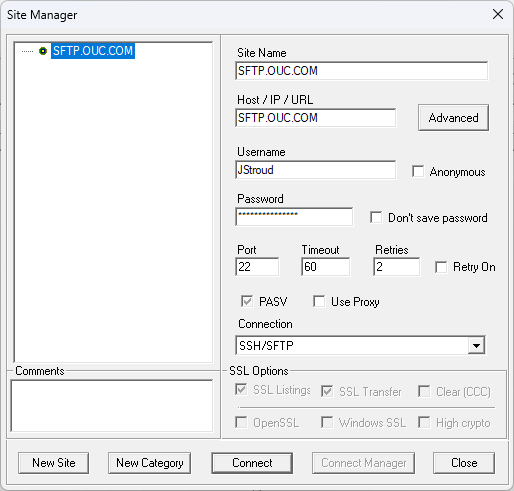
After downloading the OUC GIS files from the FTP, download the attached "OUC Conversion.zip", and unzip it. Take all of the .mdb files from the OUC and place them at the root of the OUC Conversion folder, and then double click "run_ouc_mdb_export.bat" file, as shown in the screenshot below. The listed files in the redbox are the only ones we are concerned with. 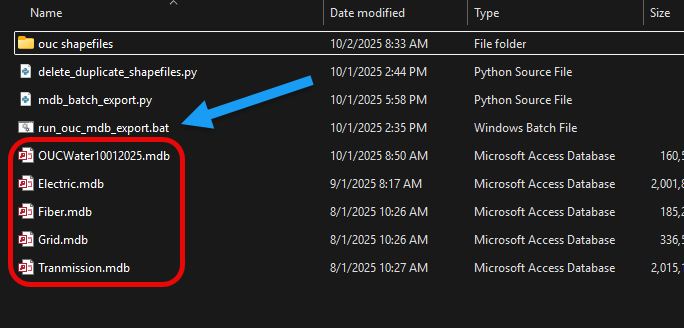
No comments to display
No comments to display